
Introduction: Why Some Players Move from Phone to PC
Mobile card games are easy to pick up. You open the app and start a match in seconds. Pokémon TCG Pocket follows this idea. Quick battles. Simple controls. Clean design.
But after longer sessions, small screens feel limiting. Cards look tiny. Text can feel cramped. Phones also heat up during extended play. That is when some players look for a different setup.
Many choose to play Pokémon TCG Pocket on PC. The goal is simple. A larger screen. Clearer card art. More comfortable play time.
Game Overview: Type, Platforms, Basic Gameplay
Pokémon TCG Pocket is a digital card game based on the classic Pokémon Trading Card Game. Players collect cards, build decks, and battle others. Each match requires strategy. You manage energy, choose attacks, and plan ahead.
The game is designed for mobile devices. Touch controls let you drag cards and select actions. Matches are shorter than traditional TCG games, which makes it easy to play anytime.
The main loop stays consistent. Open packs. Collect rare cards. Build stronger decks. Enter battles. Improve your strategy.
Why Some Users Choose to Play on PC
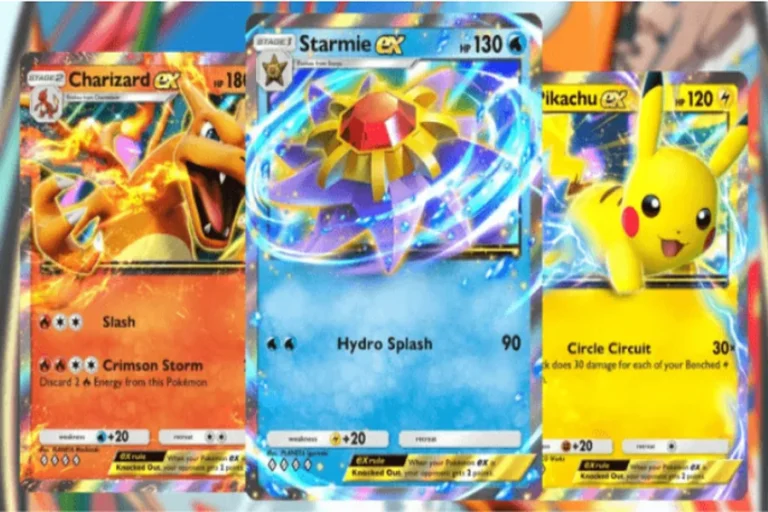
Card games rely on visual detail. Artwork matters. Small text matters. On a phone, you often zoom in to read effects clearly. On a monitor, everything is easier to see.
Comfort is another reason. Long deck-building sessions can strain your hands when holding a phone. On a computer, you sit naturally. A mouse gives precise control when selecting cards.
Performance can also feel more stable. If your phone struggles during animations, running pokémon tcg pocket pc through an emulator may provide smoother gameplay, depending on your system.
What an Android Emulator Is
An Android emulator is software that allows your computer to run mobile apps. It creates a virtual Android device inside your PC. You download games from the Google Play Store and use them as if you were on a phone.
This does not change the game itself. It simply runs the mobile version on different hardware. That is how players can play Pokémon TCG Pocket on PC even though it is built for mobile platforms.
Playing the Game on PC with MuMuPlayer
One option is MuMuPlayer. It is an Android emulator designed for gaming. Installation is simple. The interface is easy to understand.
When playing pokémon tcg pocket pc through MuMuPlayer, you can adjust basic performance settings. You can allocate memory based on your computer’s capacity. Full-screen mode makes card art stand out. Using a mouse to drag and select cards feels natural and accurate.
For a strategy-focused card game, clarity and control make a real difference.
Step-by-Step Guide (Download → Install → Play)
- Visit the official MuMuPlayer website and download the installer.
- Install the program and open it.
- Sign in to Google Play inside the emulator.
- Search for Pokémon TCG Pocket and install it.
- Launch the game and log in to your account.
You are now running the mobile version on your PC.
Benefits of Using an Emulator on PC
Larger Display
Card details and artwork are easier to see on a monitor.
Keyboard & Mouse Control
Mouse input offers precise card selection and menu navigation.
Stable Performance
No phone overheating. Longer sessions feel more consistent.
Multi-Instance Support
Some emulators allow multiple instances, useful for players managing different accounts.
FAQ
Security
Download the emulator from its official website to ensure safe installation.
Free
MuMuPlayer provides a free version that supports most features.
Stability
On a standard modern PC, gameplay is generally smooth.
Compatibility
Most Android games, including Pokémon TCG Pocket, are supported.
Conclusion
Pokémon TCG Pocket is built for mobile play, but that does not mean you must stay on a small screen. If you want clearer visuals, better comfort, and steady performance, using an emulator is a practical option. When you play Pokémon TCG Pocket on PC, the strategy stays the same. The experience simply feels bigger and easier to enjoy.


